
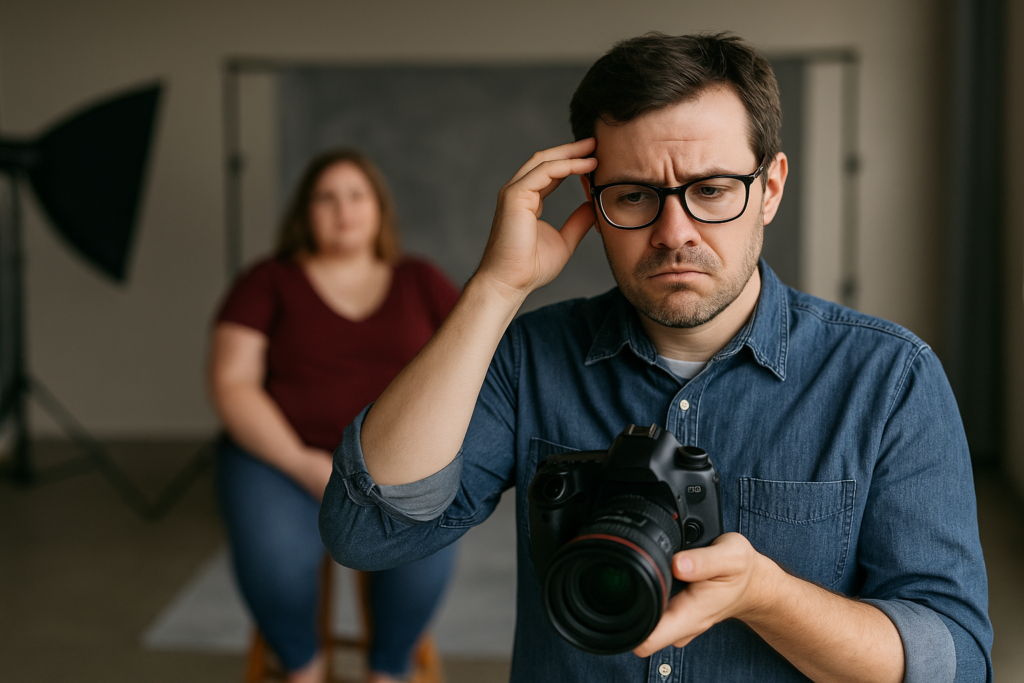
Let’s talk about something every senior photographer runs into sooner or later, and usually sooner… body confidence.
Before we go any further, a quick note about language. I’m not trying to hurt anyone’s feelings. For lack of a better word in this lesson, I’m going to use “chubby” because that’s how a lot of photographers describe it in the real world. But the goal here isn’t labels. The goal is simple: help your senior look amazing, feel confident, and love their images.
Because at the end of the day, that’s our job. Not “document reality,” not “prove a point,” not “shoot what we see.” Our job is to show them at their best. Same person, same day, same outfit… just better posing, better angles, better choices.
Inside Pro4uM, I shared a set of before-and-after examples that make the point loud and clear. No insults, no embarrassment, just education. If you could see the images, here’s what you’d notice immediately:
In the “before” frames, the pose is honest but unkind. It’s the kind of camera angle that exaggerates everything people worry about. Arms look thicker. The torso looks wider. The body looks “stacked” instead of shaped. It’s not the senior’s fault, and it’s not even the photographer’s “skill” at that moment. It’s just physics, lens perspective, and posing choices doing what they always do.
In the “after” frames, the senior looks like she lost weight, but she didn’t. She looks more confident, but she didn’t magically become confident. The illusion changed, and that is what professional posing does.
Let’s break down the three tips, exactly the way I teach them.
TIP #1: Thick arms? Hide what you don’t want to feature.
Arms are one of the fastest places a pose can go sideways. Not because arms are “bad,” but because arms are often closer to the camera than the face. Anything closer to the lens looks bigger. That’s not opinion, that’s geometry.
In the example set, the first image shows the senior standing in a way that leaves the upper arms fully visible, pressed slightly toward the body. That combination is a double-whammy: pressure spreads the arm, and the camera angle emphasizes width.
Now picture the “after” shot. Same senior, same outfit, but she’s positioned near a tall chair or similar prop. The prop does something beautiful: it covers part of the upper arm, which instantly reduces what the viewer sees. You’re not “hiding the person,” you’re controlling the design of the photograph.
Here’s what to do in your own sessions:
- Use a tall chair, a column, a railing, a tree trunk, a doorway, or even the edge of a bench.
- Place the prop between camera and the part of the arm you don’t want to emphasize.
- Keep the hands relaxed. Soft fingers, no clenched fists.
- Separate the arm from the torso slightly when you can, because an arm glued to the body looks wider.
You’re sculpting. Not tricking. Sculpting.
Some examples can be found here: https://pro4um.com/finding-photography-inspiration-a-glimpse-into-senior-graduation-shoots/
TIP #2: Never shoot straight-on if you want a slimmer look.
Straight-on posing is the fastest way to make someone look thicker. Period.
In the “teaching” images I shared, there are a couple frames that you would never show a client. They’re not “bad” because the senior looks bad. They are “bad” because the angle is not flattering. They’re pulled back a bit to demonstrate what happens when you stand a subject square to the camera and let gravity plus posture do whatever it wants.
When you pull back and shoot straight-on, you show maximum width. You also flatten shape. You remove the curves that create elegance in a portrait.
Now picture the improved set. The senior is using props and positioning to create shape:
- She’s behind something, which breaks up the body line.
- She’s seated and rolled slightly onto a hip.
- Her torso is turned, not squared.
- Her shoulders are angled.
- Her face is still the hero of the frame.
This is the difference between “standing there” and “posing.”
Try this simple coaching line during a session:
“Turn your belly button slightly away from me, then bring your face back to me.”
That one sentence fixes a lot of sins.
And when they sit, don’t let them sit flat.
Have them sit, shift weight onto one hip, then lean slightly toward camera with the shoulders. That adds shape and confidence, and it keeps the pose from looking stiff.
TIP #3: Bend the leg closest to the camera. It works EVERY time.
If you only remember one thing from this post, remember this:
Bend the leg closest to the camera.
No matter the body type, bending the closest leg creates angles. Angles create shape. Shape reads as slimmer. It’s the oldest trick in the book, and it still works because it’s not a “trick,” it’s visual design.
In the “after” images, the difference is obvious even without seeing them:
- When the front leg is straight, the hips look wider and the pose looks planted.
- When the front leg bends, the hips narrow visually, the body line becomes an S-curve, and the pose looks intentional.
You can do it standing or seated.
Standing: Have the senior put weight on the back leg. The front leg bends slightly at the knee. The toe can point toward camera or slightly across the body. Instant improvement.
Seated: Have the knee closest to camera bend or cross slightly. You’re creating negative space and angles. The body looks smaller because the shape looks more dynamic.
And yes, it’s an illusion. A beautiful one.
That’s what a portrait is supposed to be. Not a measurement. A story, with confidence as the headline.
The real win: Your HS senior leaves feeling proud.
This isn’t about making someone “look thin.” It’s about making them look like the best version of themselves.
When you guide a senior into flattering positions, you’re not just selling photos. You’re giving them a moment where they feel seen, respected, and confident. That’s why clients come back. And that’s why moms cry in the ordering session. That’s why high school seniors tag you in every post they make for the next six months.
Professional posing is a skill, and skills can be learned.
Want the full breakdown, with the complete step-by-step post and the full set of examples?
See the whole post here: https://forum.pro4um.com/forum/photography-categories/senior-graduation-photography/54320-posing-the-chubby-senior
A special thanks to Darty Hines for this fabulous post. There are a total of 6 tips that you will fin AMAZING. Worth the price of joining the Pro4uM.
If you want to learn to log into the Pro4uM go here: https://pro4um.com/logging-into-the-forums-on-the-pro4um/